
STEP 1
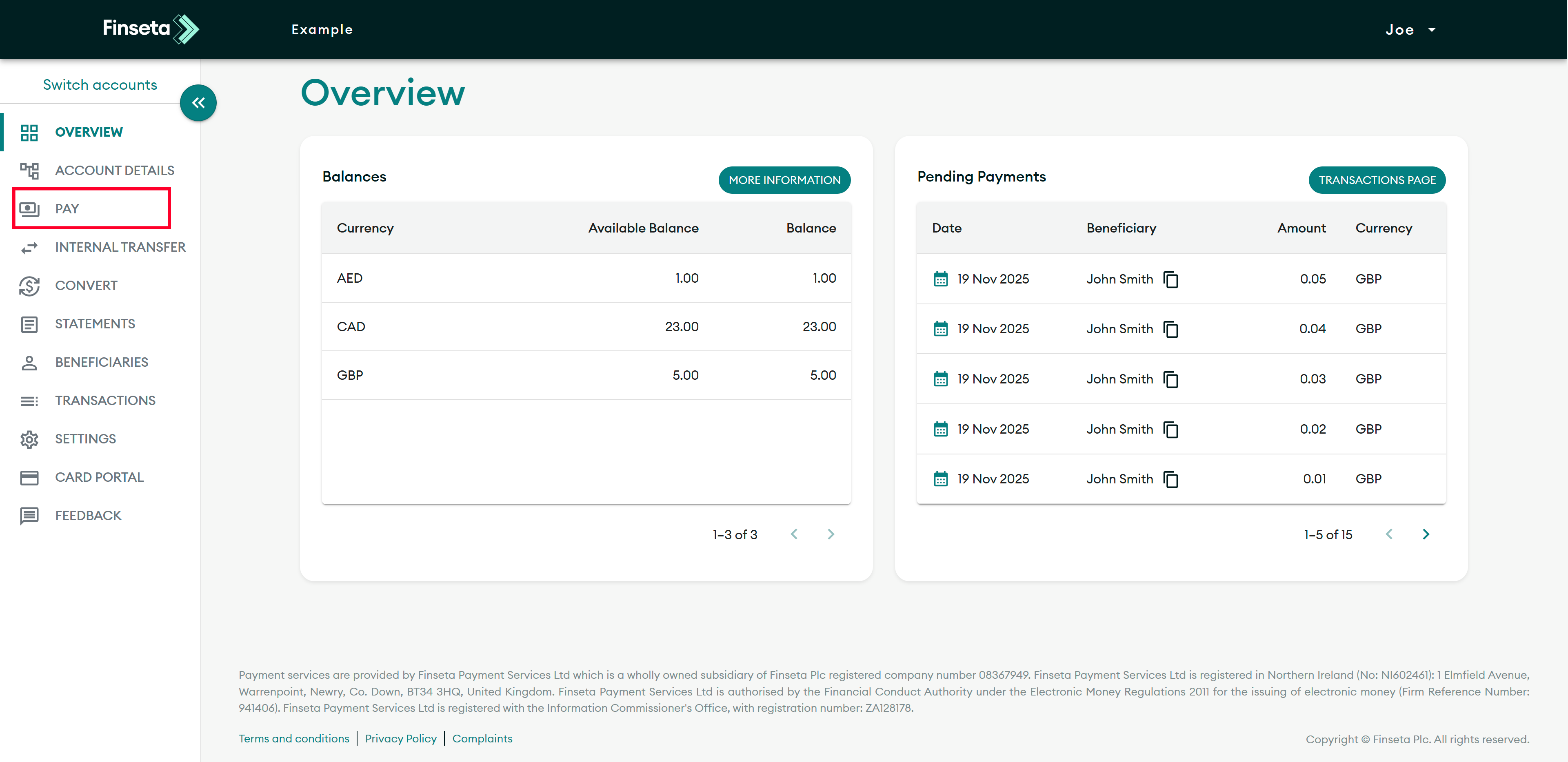
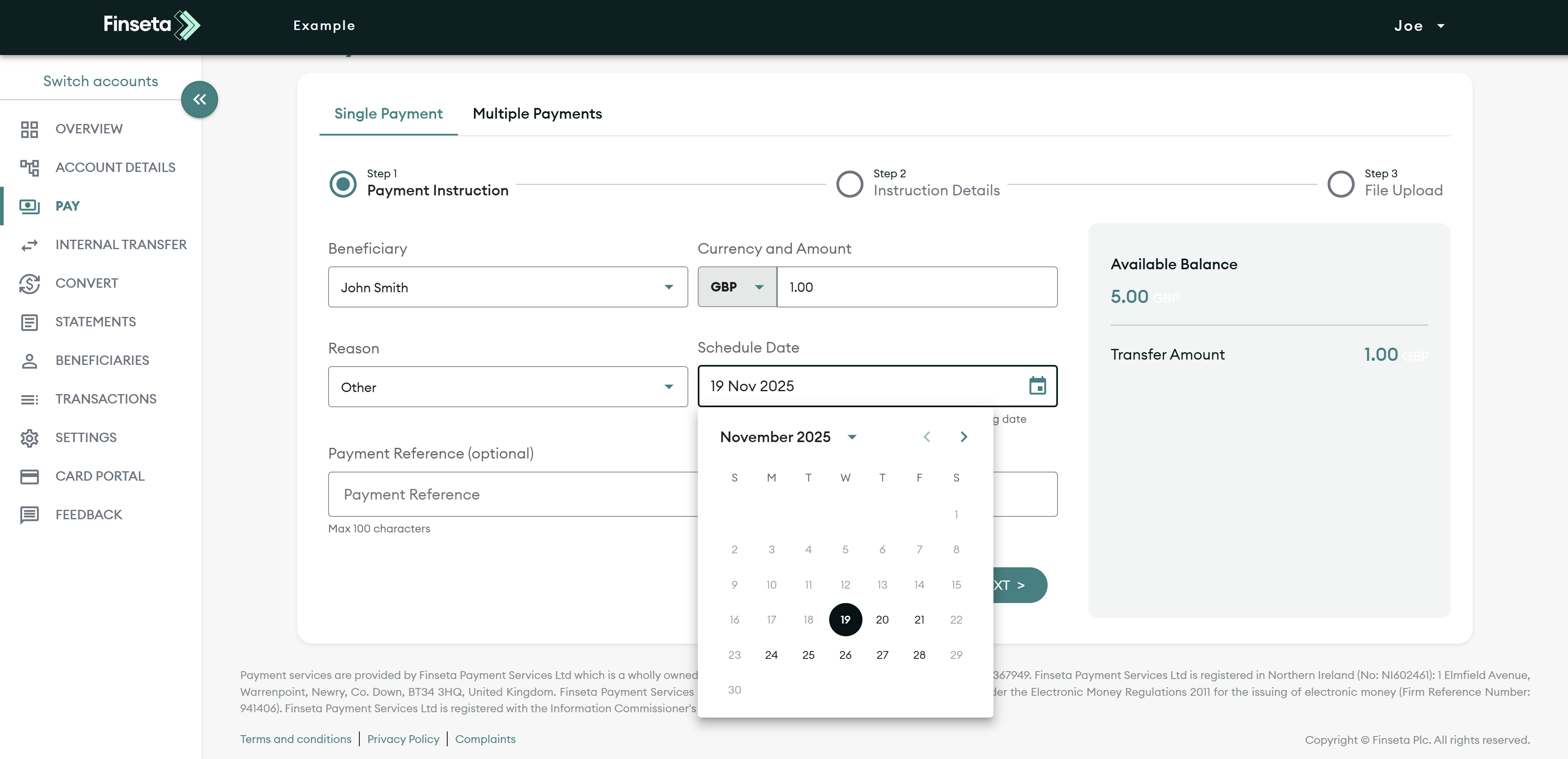
When you have logged in, click on the "PAY" option on the left-hand menu.
STEP 2
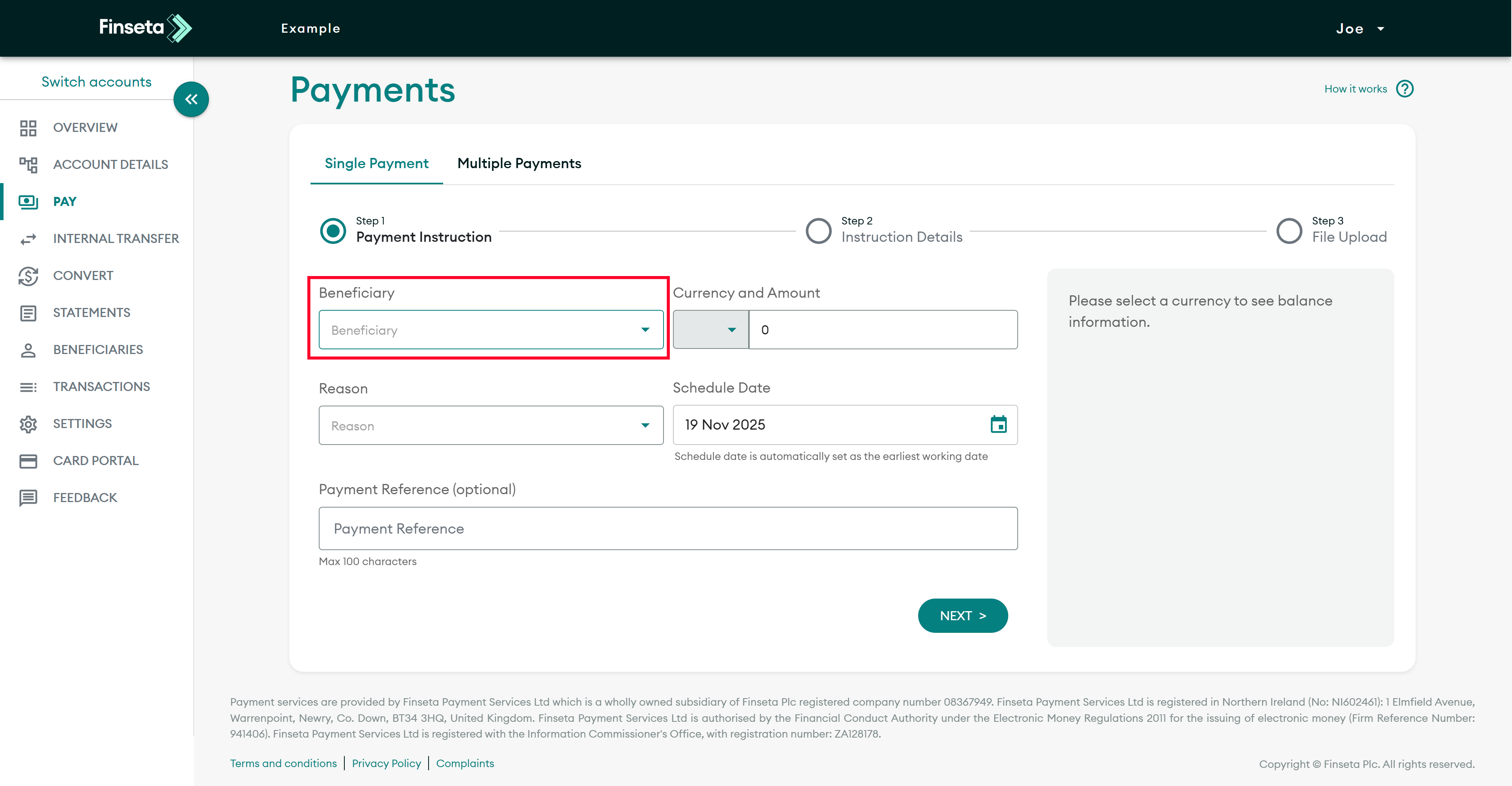
Select an existing beneficiary, or create a new one.
STEP 3
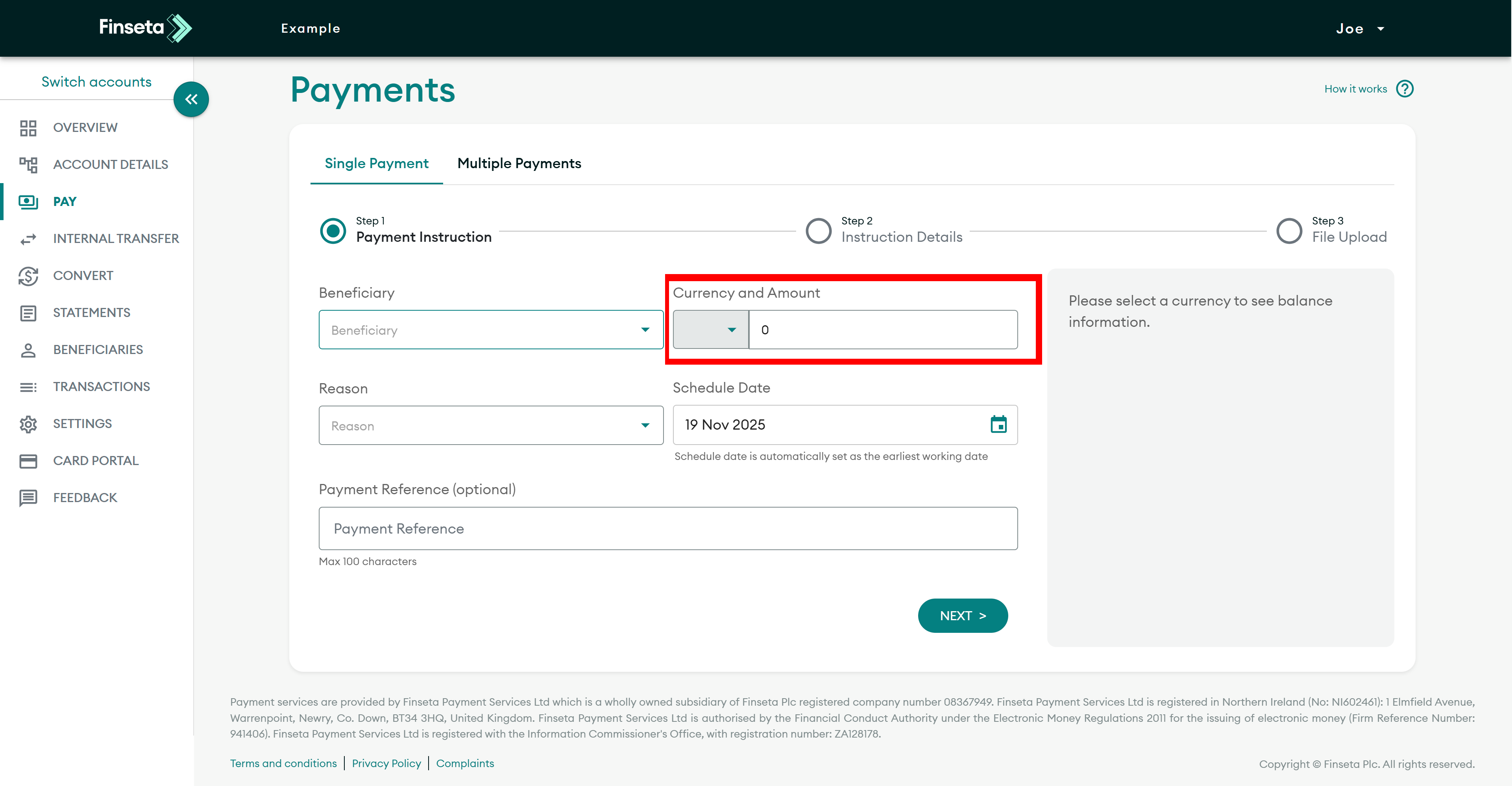
Set the desired currency and enter the amount to be sent. There is helpful information about your balance on the right-hand side.
STEP 4
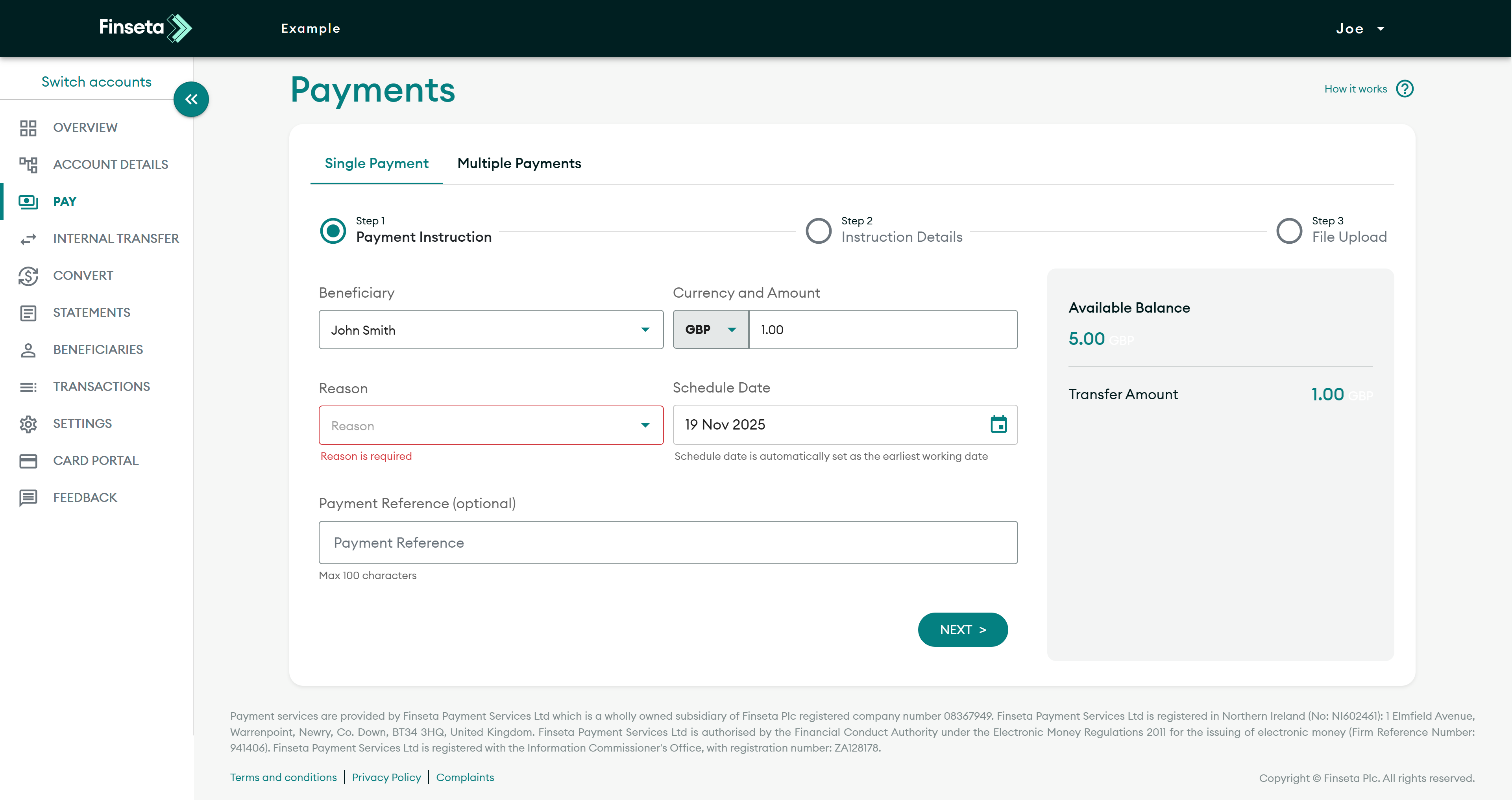
Select a reason for the payment
STEP 5
Choose the date on which you want the payment to be processed.

STEP 6
You can add a reference for your records, and then click "NEXT."

STEP 7
Review the payment details, then select "Create."

STEP 8
You may also upload a supporting document. If you do not have one, click "SKIP."
STEP 9
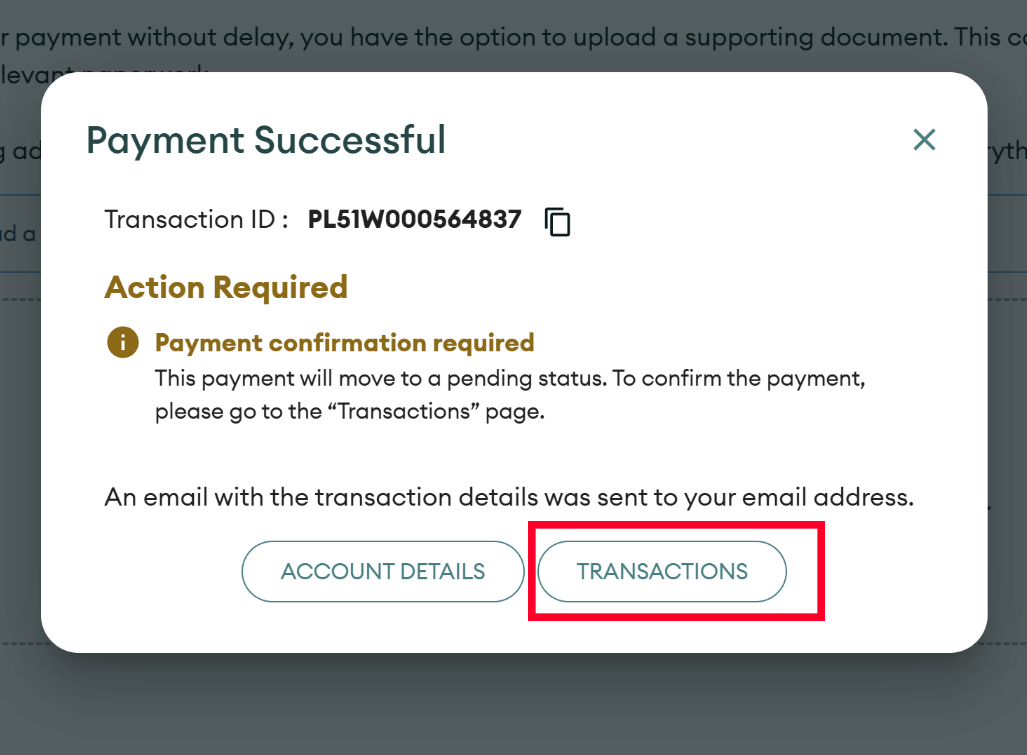
To confirm your payment, click "TRANSACTIONS."

STEP 10
Lastly, locate the payment you just created, then click the box at the start of the payment column. After that, click "CONFIRM."


