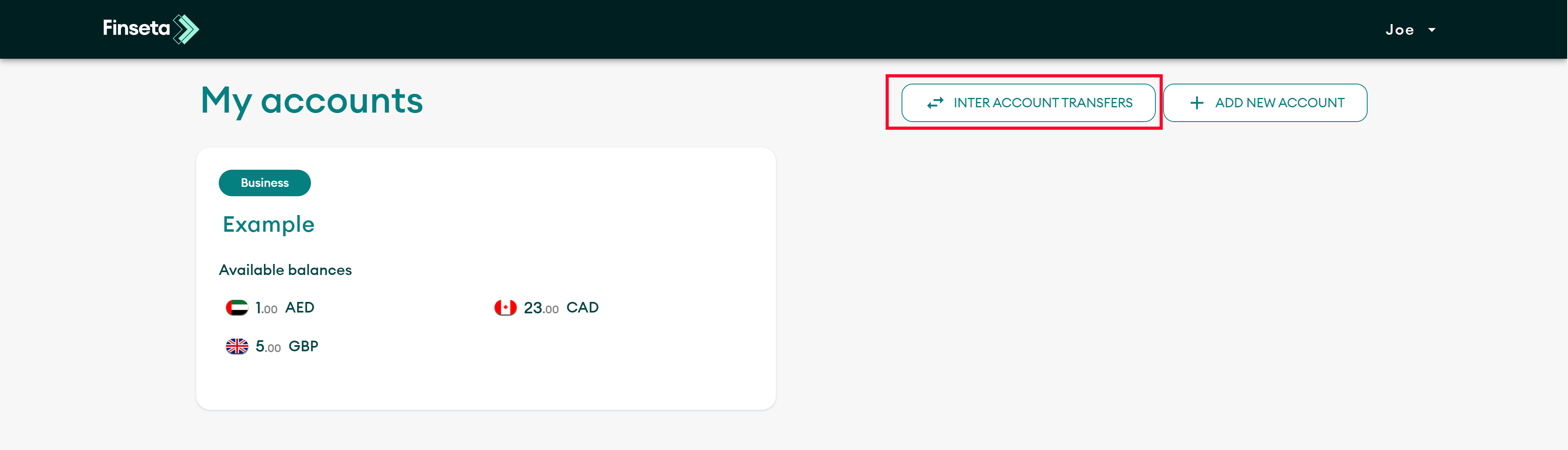
Transferring funds between your accounts on the Finseta platform is simple. This guide will walk you through how to move funds from one account to another quickly and easily.
STEP 1
Click on the "INTER-ACCOUNT TRANSFERS" Button.
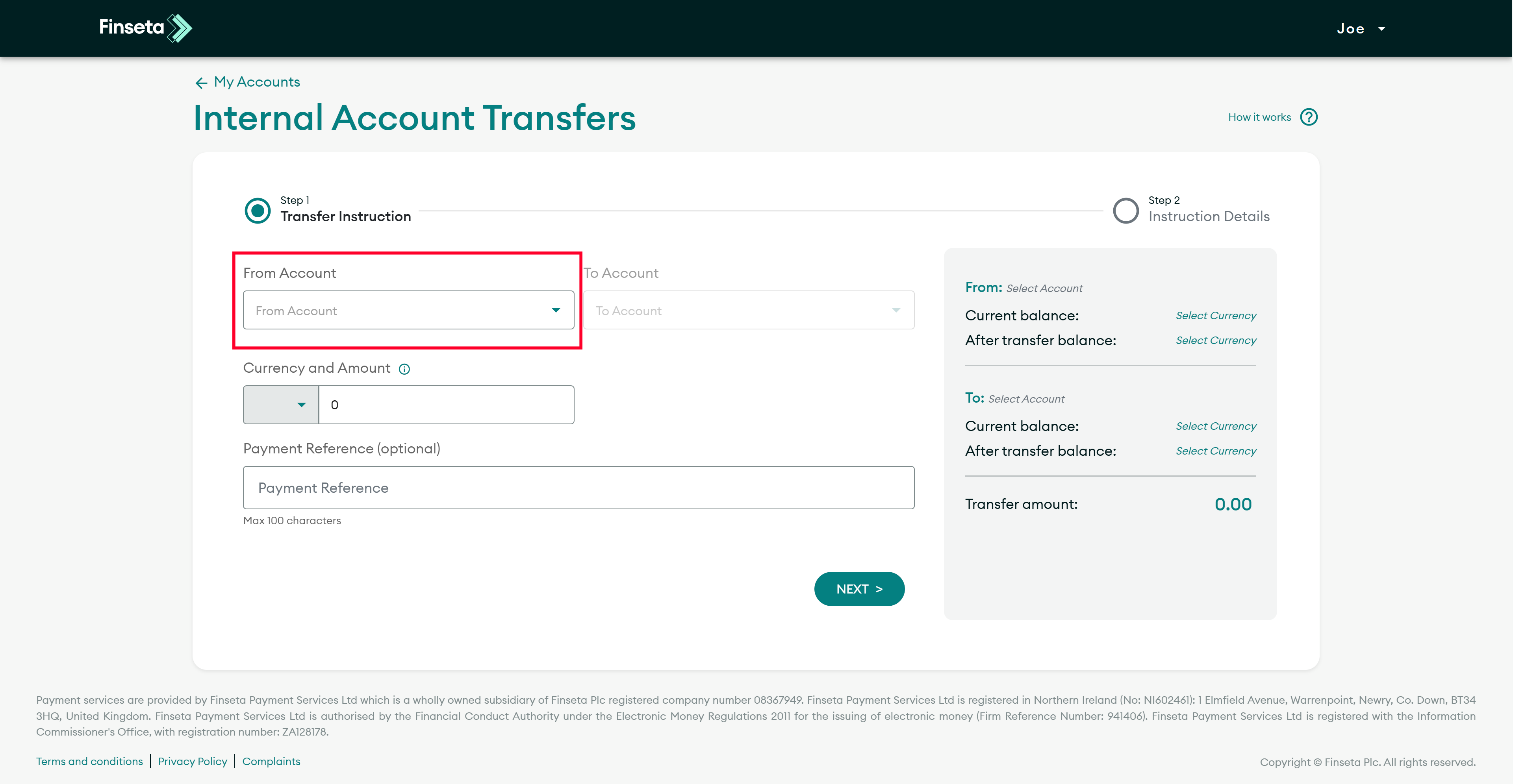
STEP 2
Add the from account.
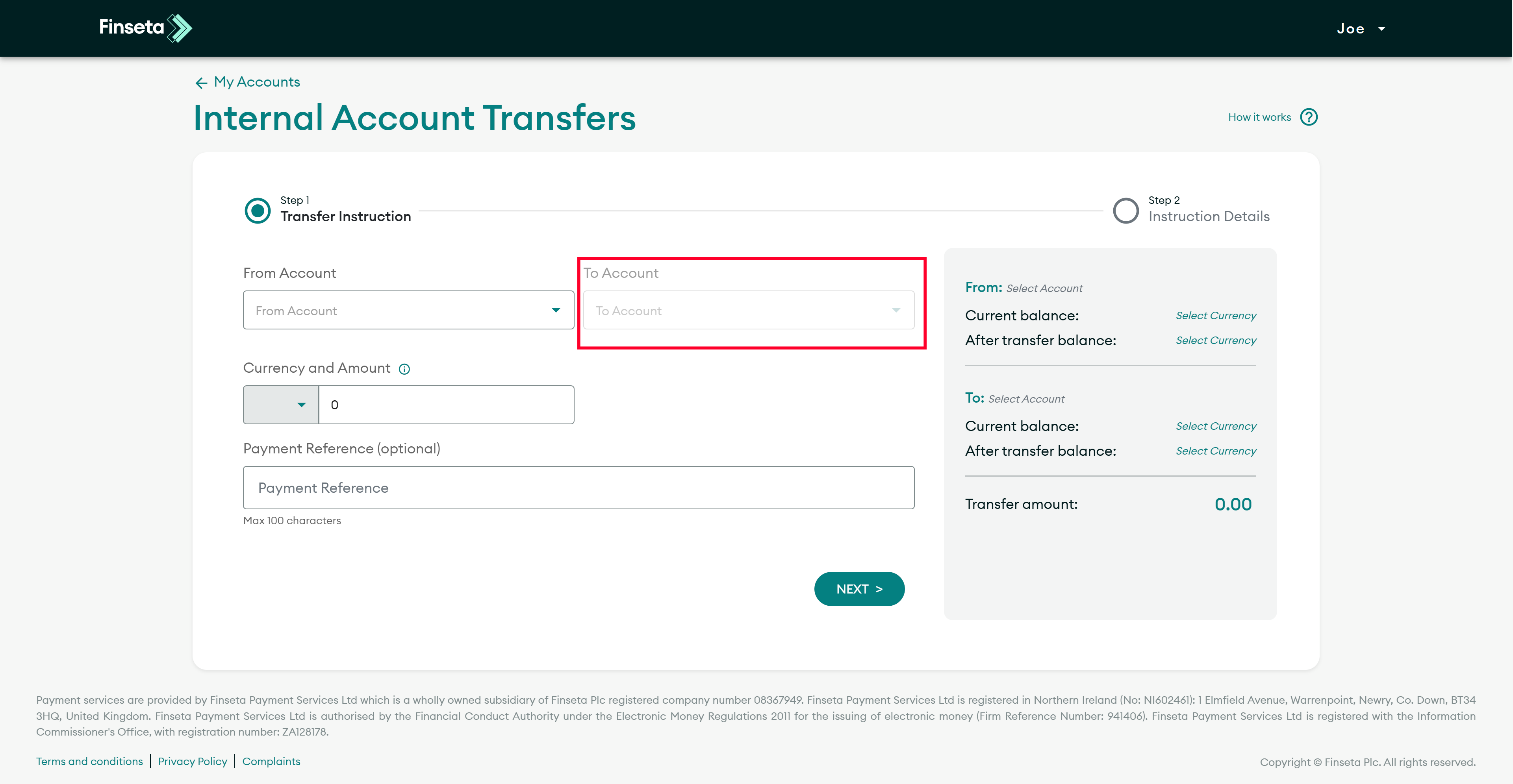
STEP 3
Add the to account.
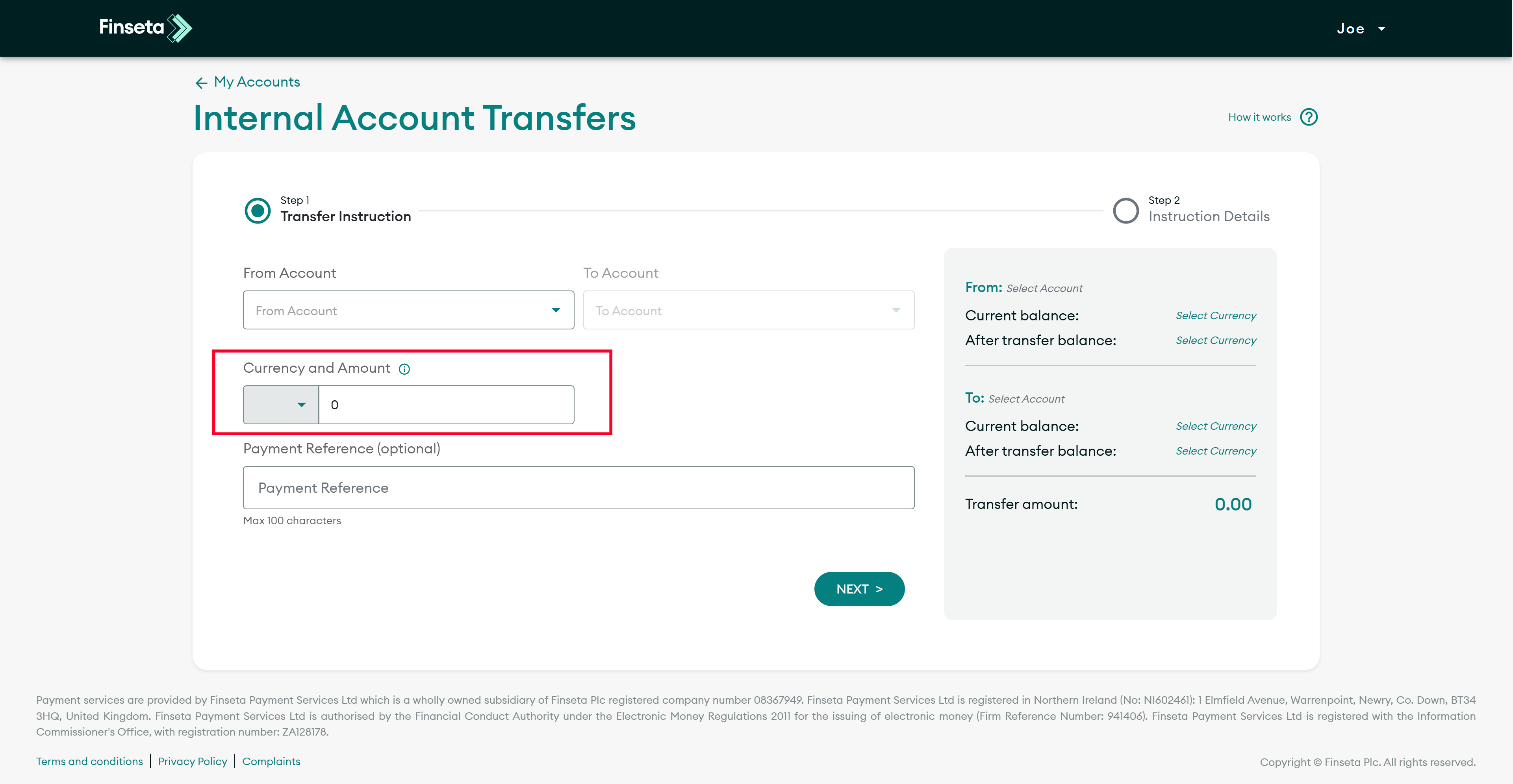
STEP 4
Select the currency you wish to use for the transfer, then enter the amount you wish to send.
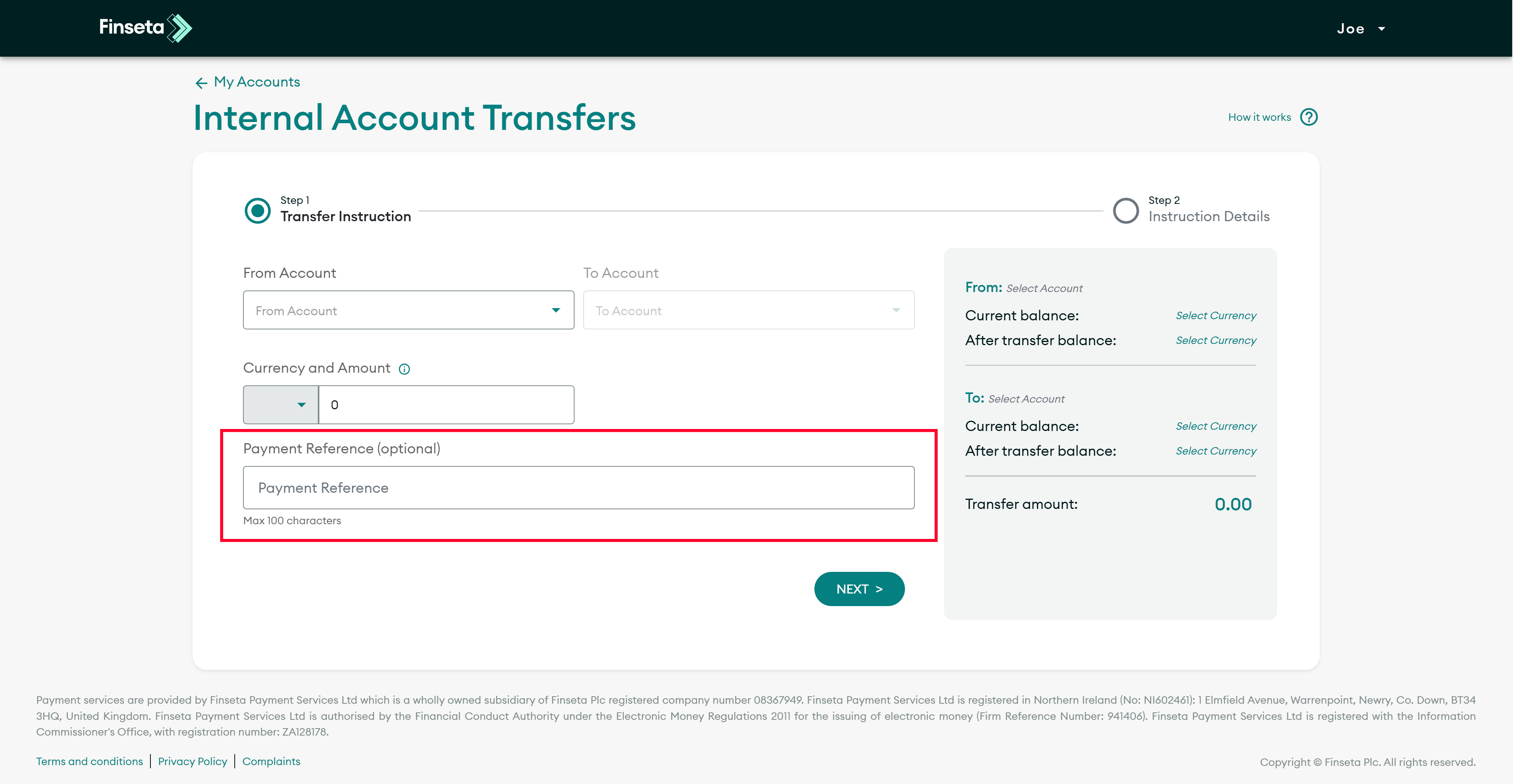
STEP 5
You may add a reference if needed.
STEP 6
Click the "NEXT" button
Discover more from Finseta
Subscribe now to keep reading and get access to the full archive.
We use cookies to ensure that we give you the best experience on our website. If you continue to use this site we will assume that you are happy with it.