
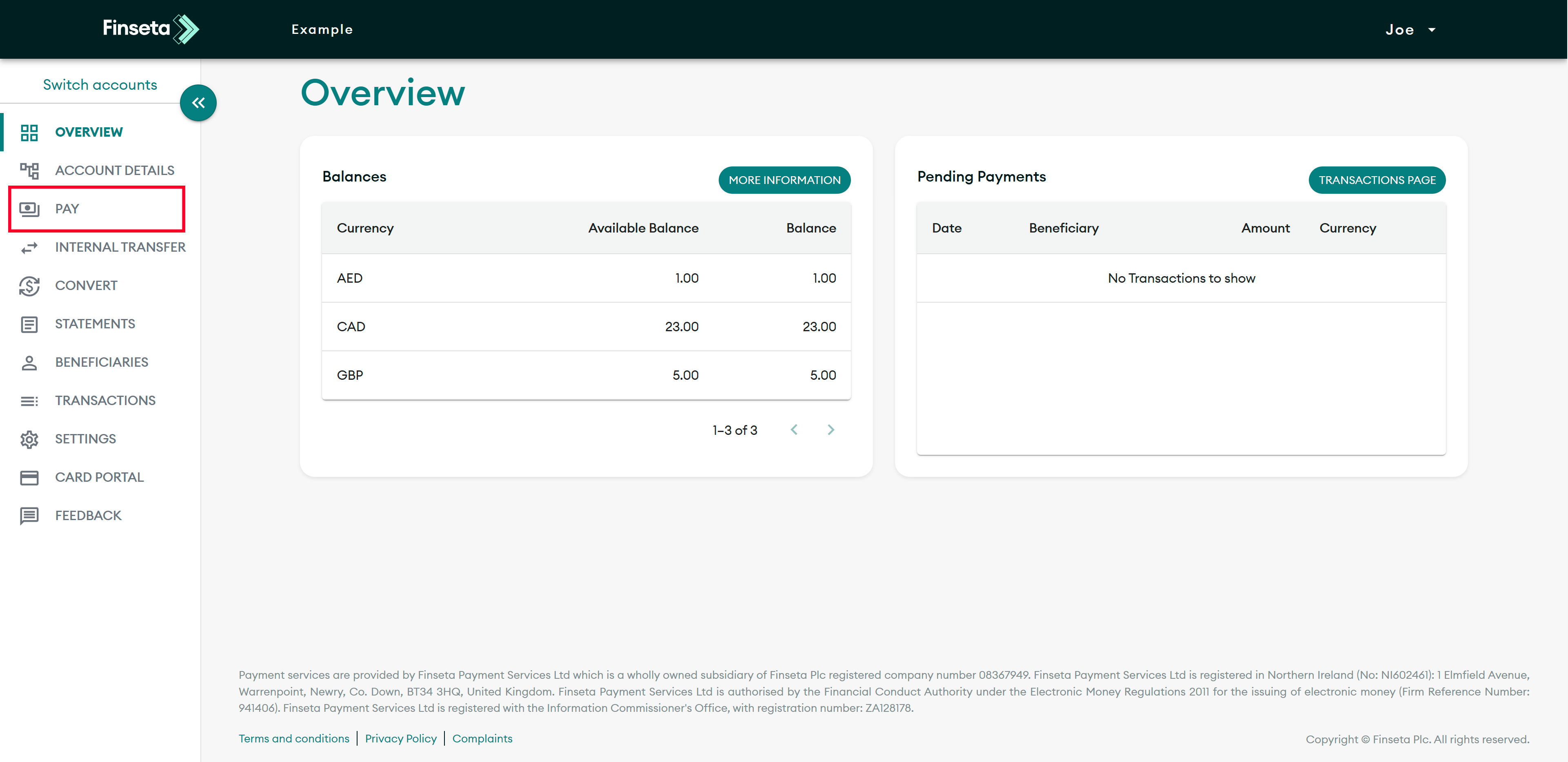
STEP 1
Click "PAY" on the left-hand menu.
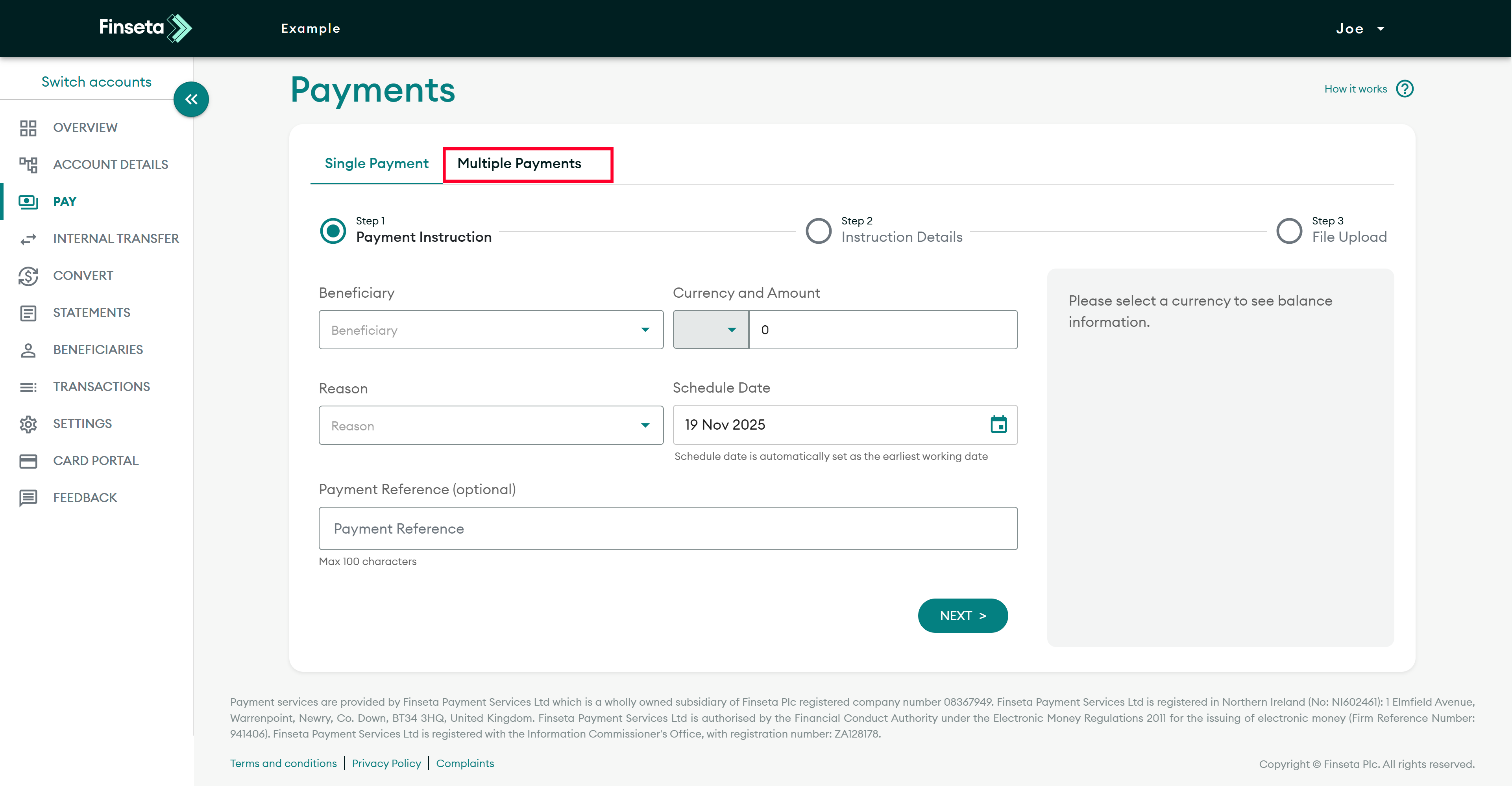
STEP 2
Click "Multiple Payments."

STEP 3
Select the currency in which you wish to make the payments.
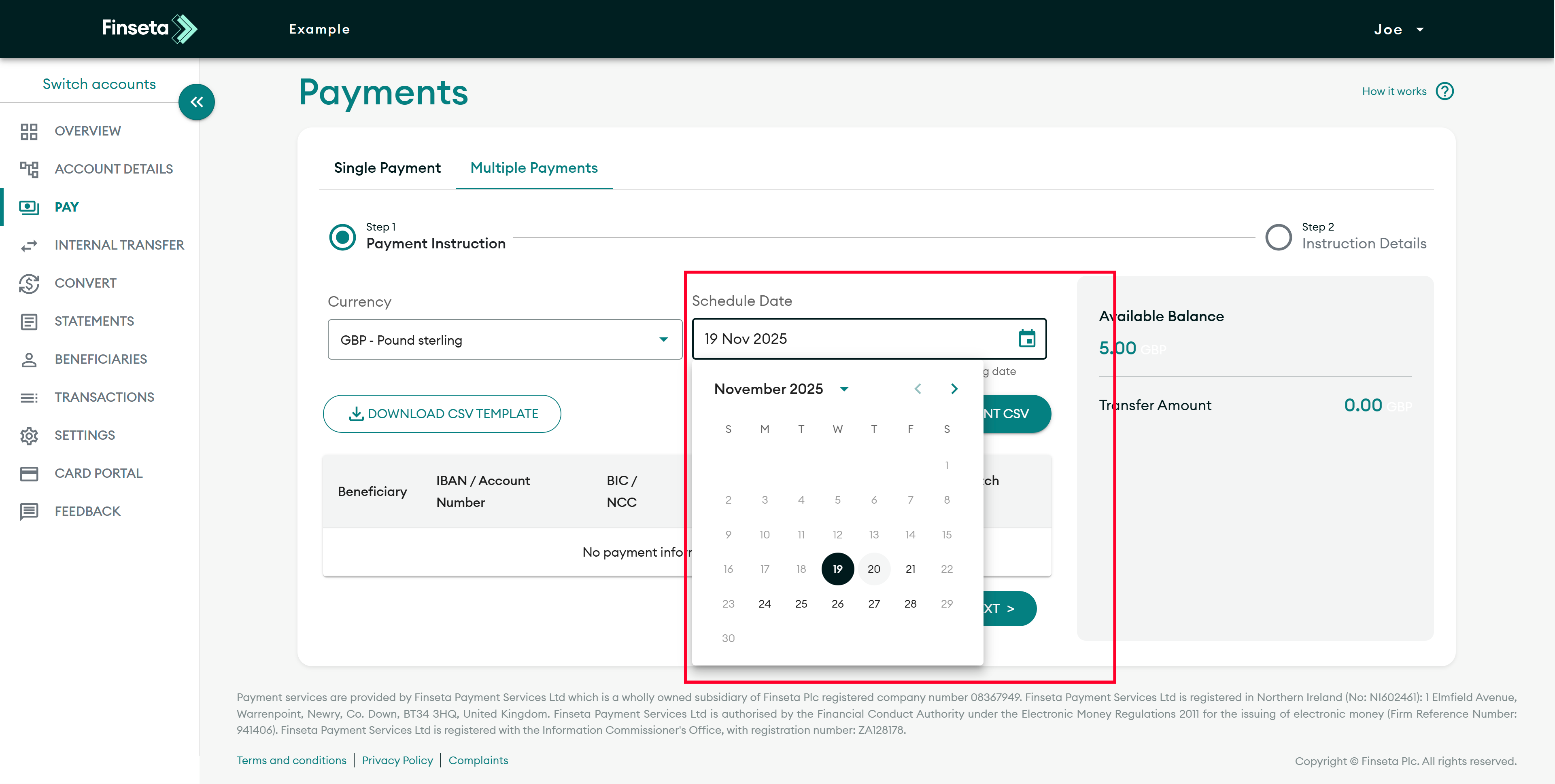
STEP 4
Select the date you want the payment to be processed.
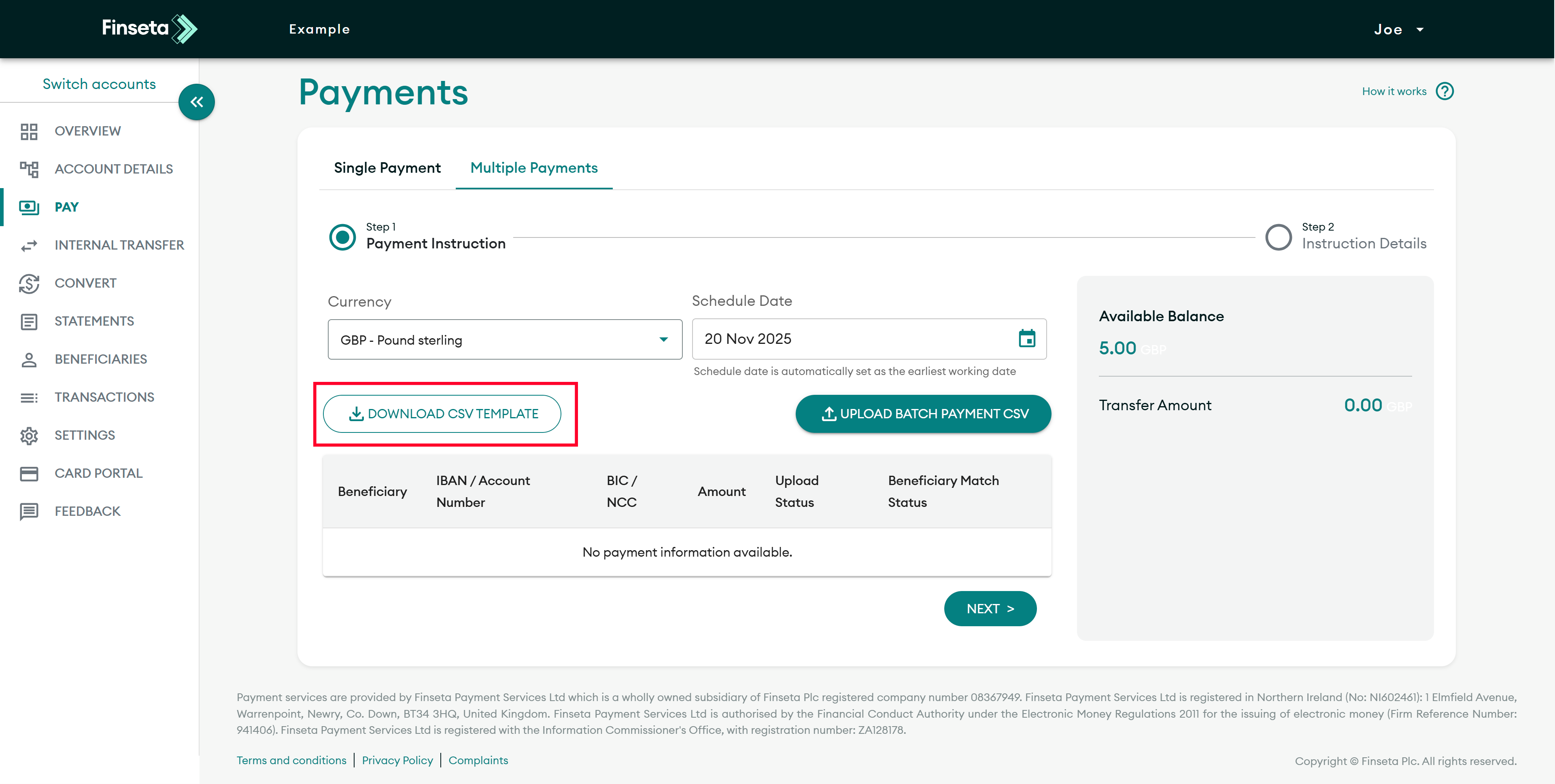
STEP 5
Download the CSV template, where you will input your data. The template includes guidance on all the information required.

STEP 6
Mandatory: Beneficiary Type – A mandatory field; value must be “Personal” or “Business”.
Conditional: Business name – Enter the business name if paying a business.
Conditional: First name – Enter the first name if paying a person.
Conditional: Last name – Enter the last name if paying a person.
Mandatory: Beneficiary friendly name – The name that will appear on the Finseta platform.
Mandatory: Address – Enter the first line of the beneficiary’s address.
Mandatory: City – Enter the beneficiary’s city.
Mandatory: PostCode – Enter the beneficiary’s postcode.
Conditional: State/County – Complete if the country is US, CA, or MX.
Mandatory: Beneficiary Country – Two-digit ISO country code (e.g. GB).
Conditional: Account number – Required for local payment details.
Conditional: National Clearing Code – Required for local payment details.
Conditional: IBAN – Required for international payment details.
Conditional: BIC – Required for international payment details.
Mandatory: Beneficiary's account country – Two-digit ISO code of the bank account country.
Mandatory: Beneficiary account currency – Three-digit ISO currency code (e.g. GBP).
Mandatory: Payment Amount – Amount in the selected currency.
Optional: Payment Reference – Reference that may appear on the beneficiary statement and Finseta platform.
Mandatory: Purpose of payment – Must be one of the following:
- Property Purchase
- Property Maintenance
- Mortgage/rent payments
- Paying off Loan
- Family support
- Overseas living expenses
- Repatriation of funds
- Pension
- Paying bills
- Travel/Holiday Expense
- Transfer between personal accounts
- Paying School
- University Tuition
- Paying Medical Expenses
- Cryptocurrency - Mining / trading
- Invoice/Purchase
- Import/Export
- Outsourcing
- Salary/Wages
- Investment
- Repatriation of funds to own account
- Loan
- Debt
- Insurance
- Other

STEP 7
Upload the payment template file.

STEP 8
All payments will be displayed on the overview page, with an indication of whether each payment is valid. For example, a payment missing beneficiary details will not be successful and cannot have a payment instruction created. To continue, click "NEXT."

STEP 9
All successful payments will be displayed on the review page, while unsuccessful payments will not be shown. To initiate the payments, click "Create."
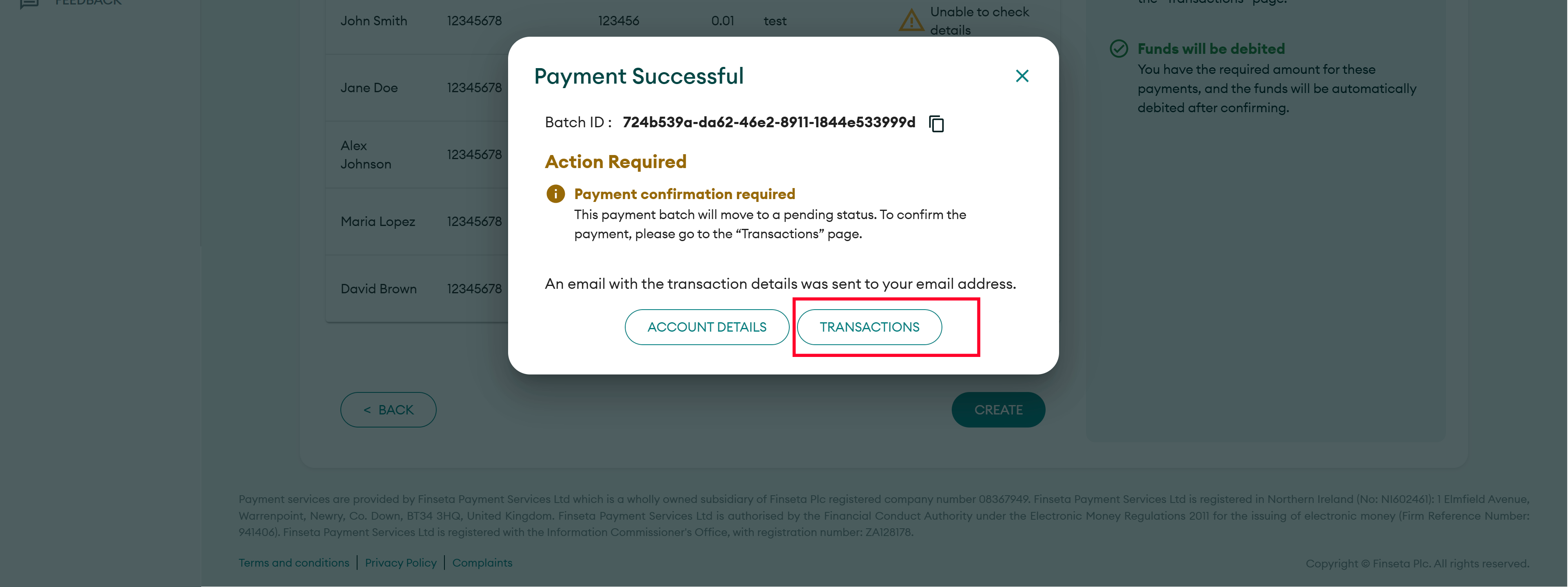
STEP 10
Click the "TRANSACTIONS" button.
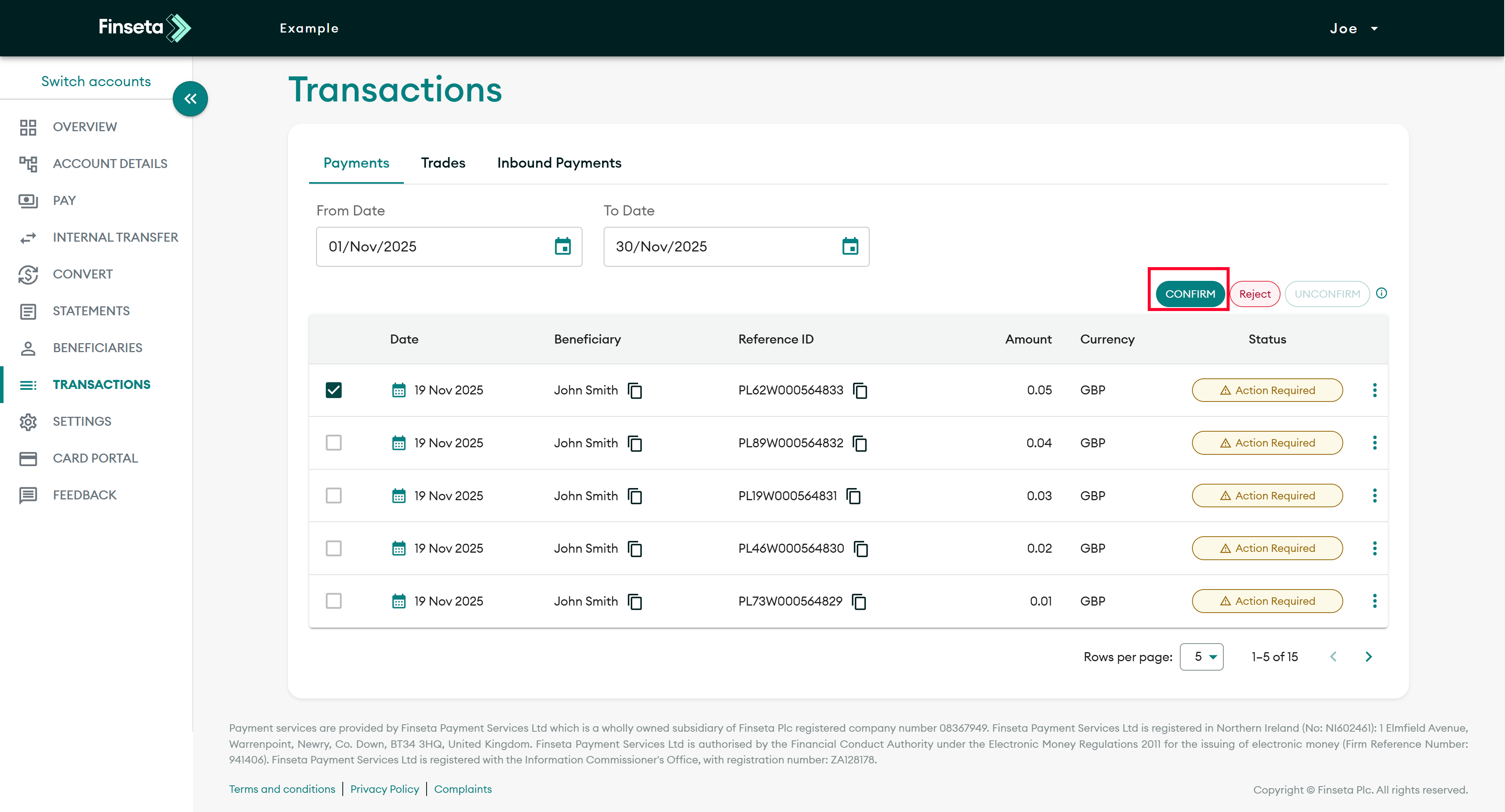
STEP 11
Click on the payment then click "CONFIRM."


