How do I download statements on the Finseta platform?

Accessing and downloading statements on the Finseta platform is designed to be seamless and efficient, providing users with full control over their financial data.

Whether you manage international payments, or oversee multiple currency accounts, our platform allows you to quickly retrieve detailed transaction histories and account statements.

In this guide, we’ll walk you through the steps to download your statements, ensuring that you have easy access to the financial information you need for reporting, compliance, or record-keeping.

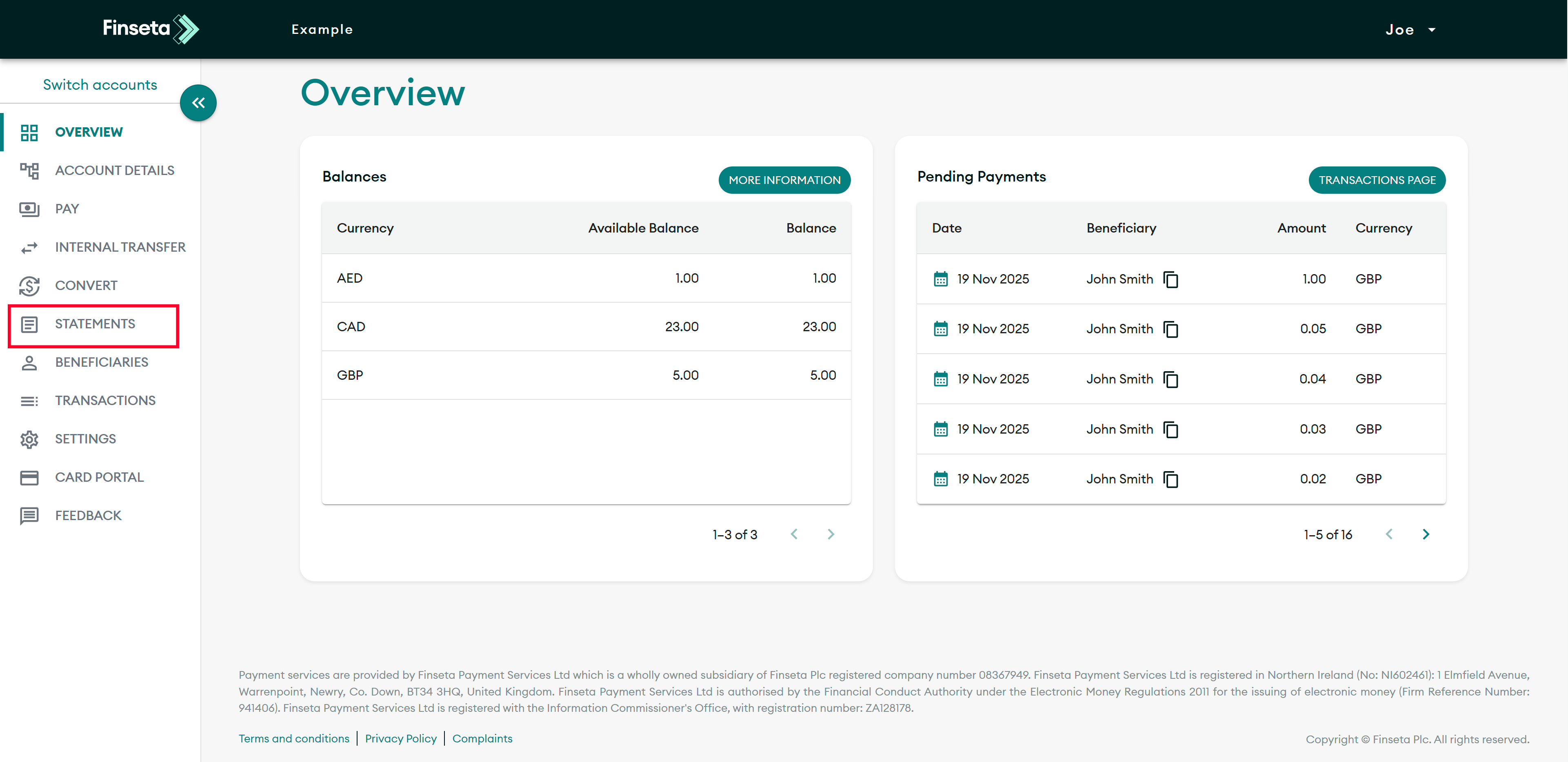
STEP 1

Click on the "STATEMENTS" tab.
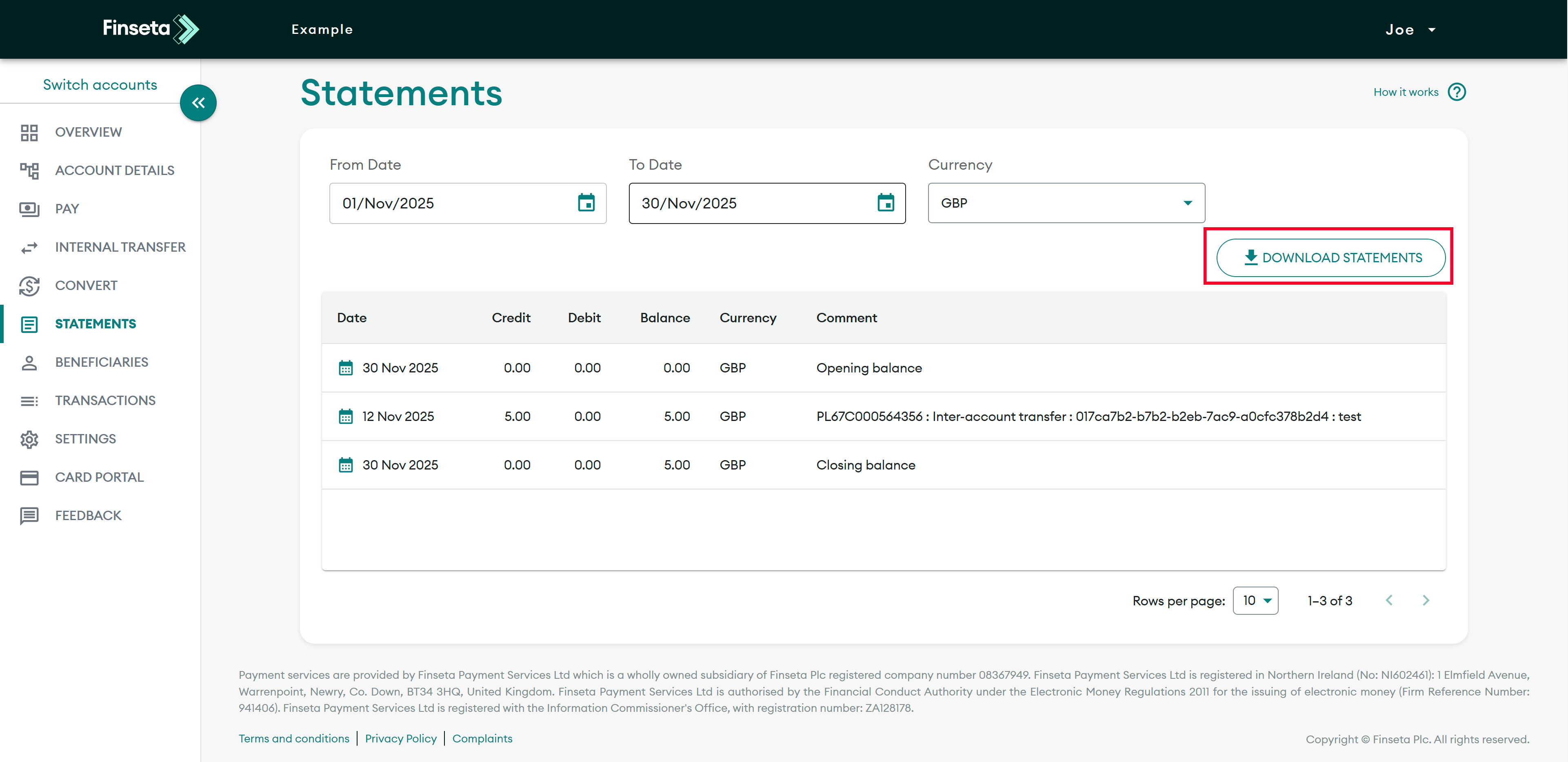
STEP 2

Click the "DOWNLOAD STATEMENTS" button.

STEP 3

Then, select the type of file you would like to download.