
How do I convert currency on the Finseta platform?
Converting currency on the Finseta platform is quick and hassle-free, providing you with access to competitive exchange rates and real-time conversions.
Whether you’re managing cross-border transactions or simply need to exchange funds between accounts, our platform enables you to convert currencies with just a few clicks.
This guide will show you how to efficiently convert currency on Finseta, ensuring you can make the most of market conditions while managing your international finances seamlessly.
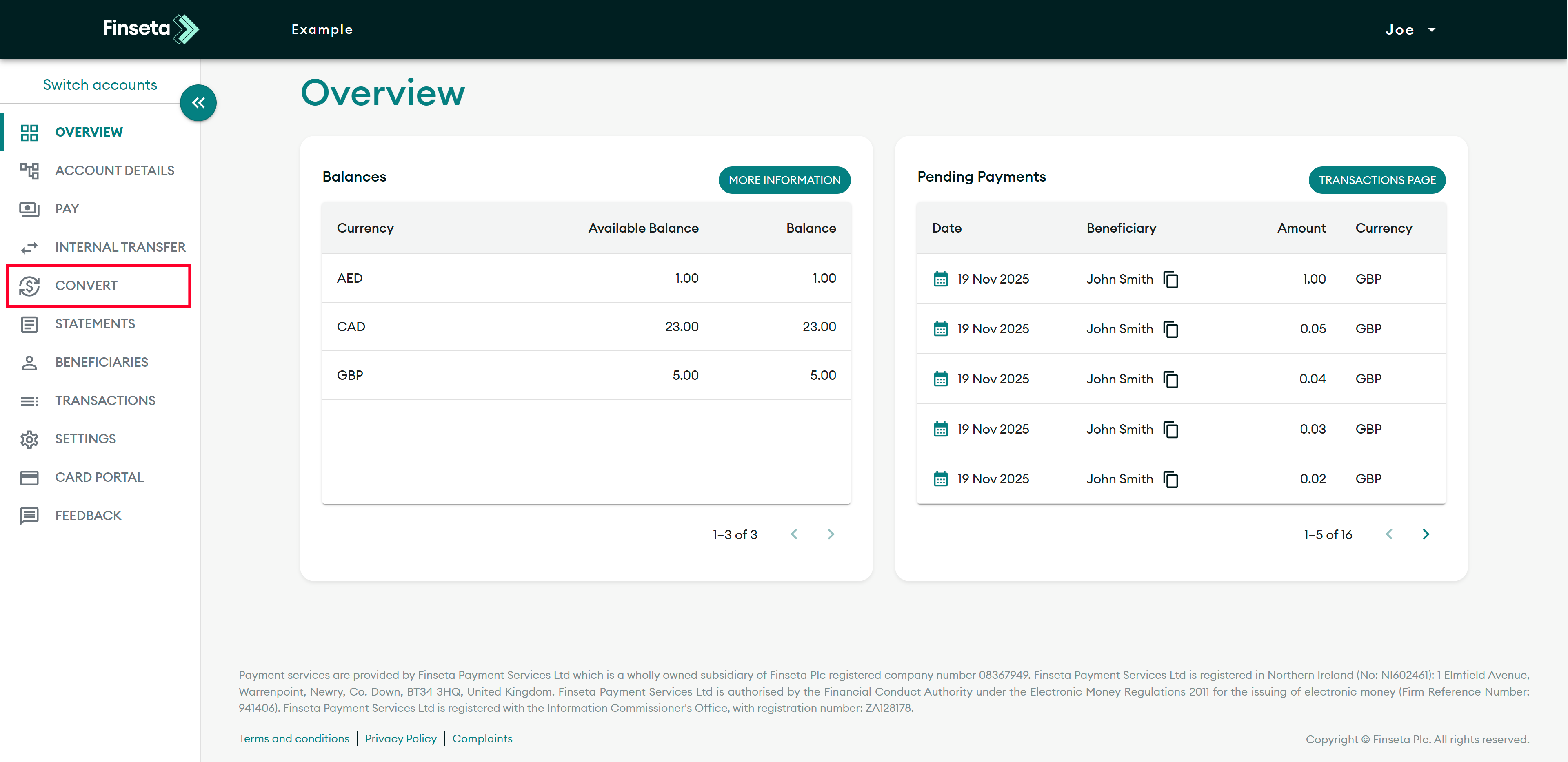
STEP 1
Login to the Finseta portal, then click "CONVERT."
STEP 2
Select your sell currency.
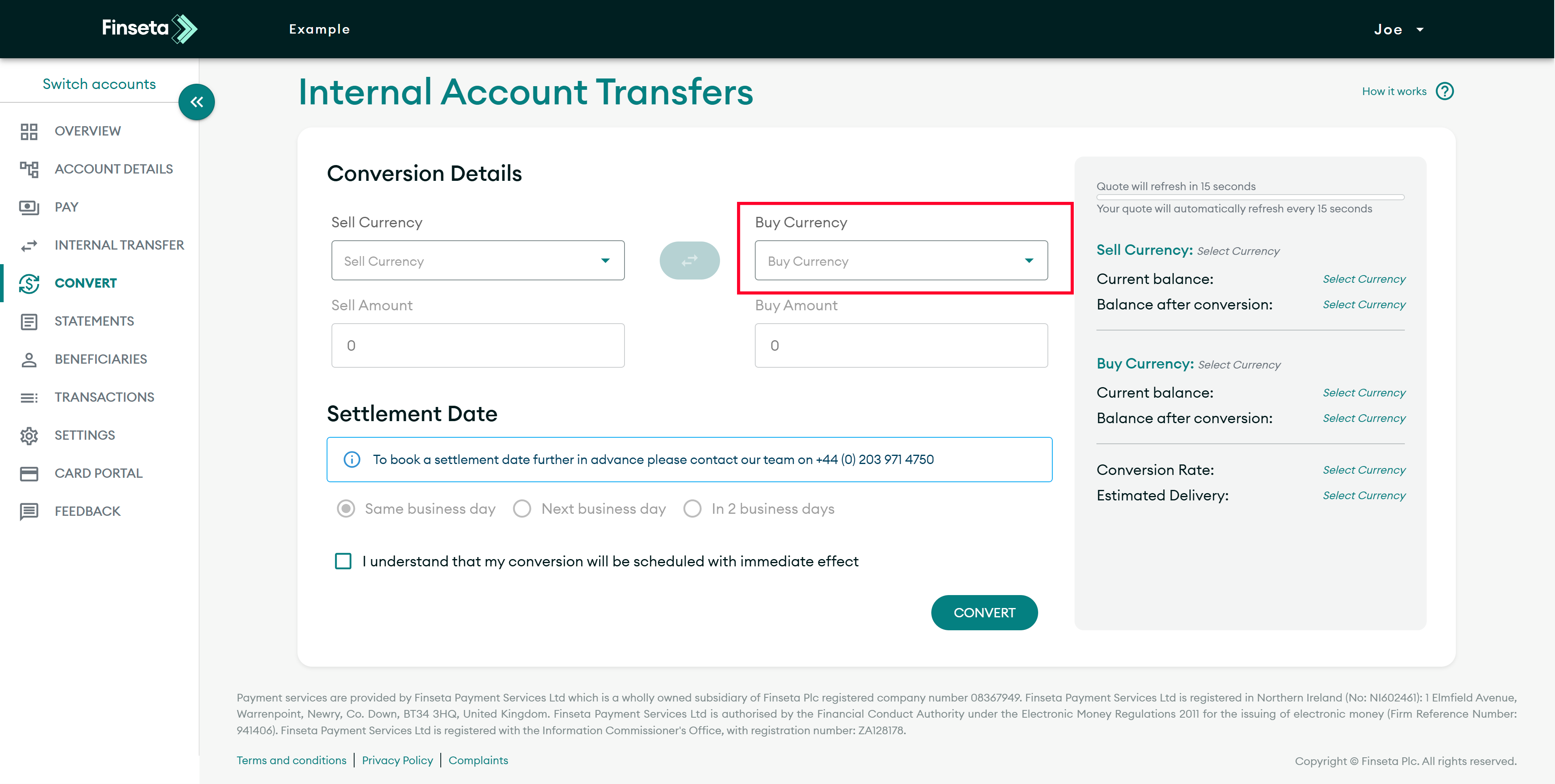
STEP 3
Select your buy currency.
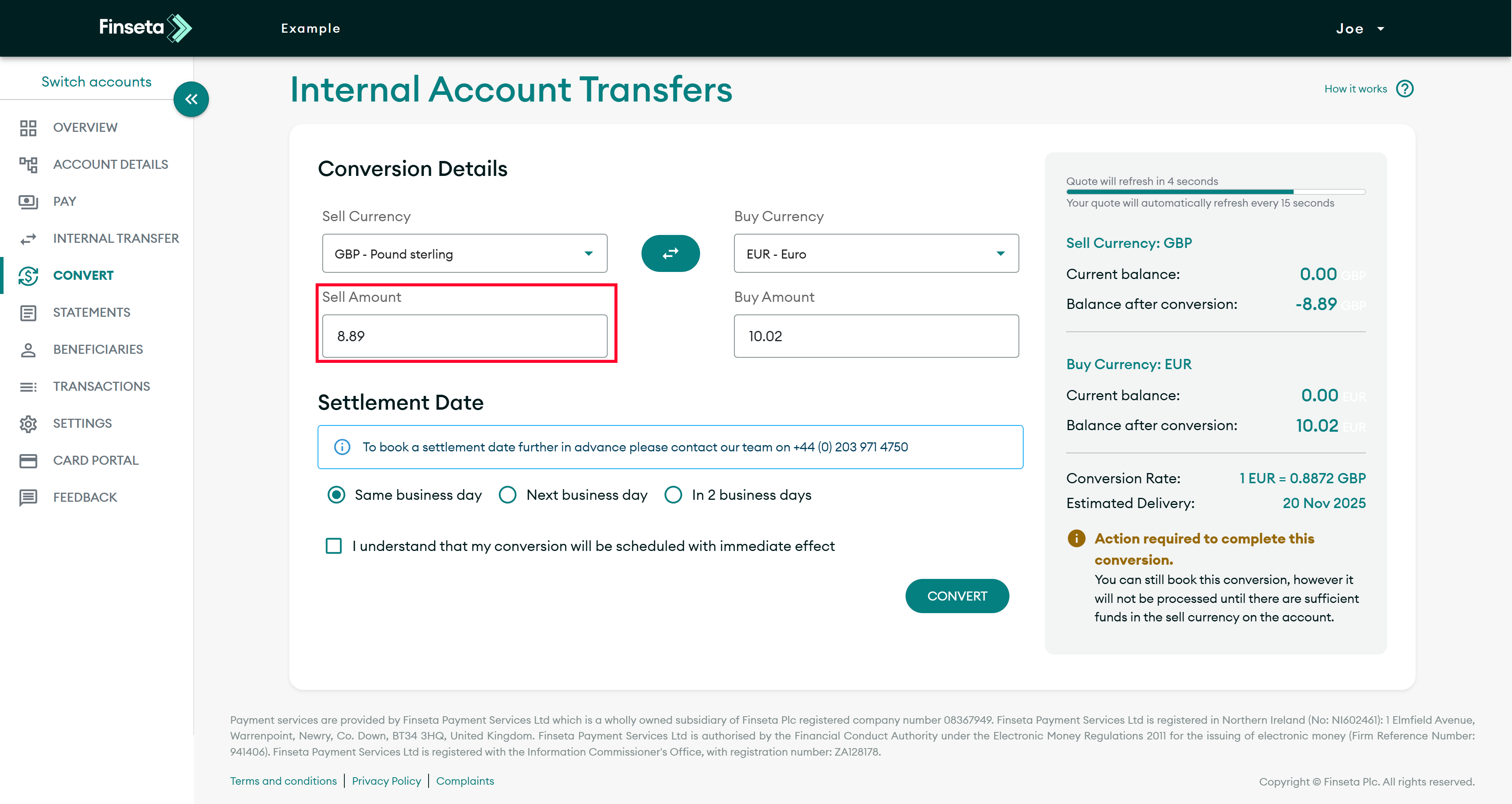
STEP 4
If you have a specific amount you wish to sell, enter it under the sell currency.
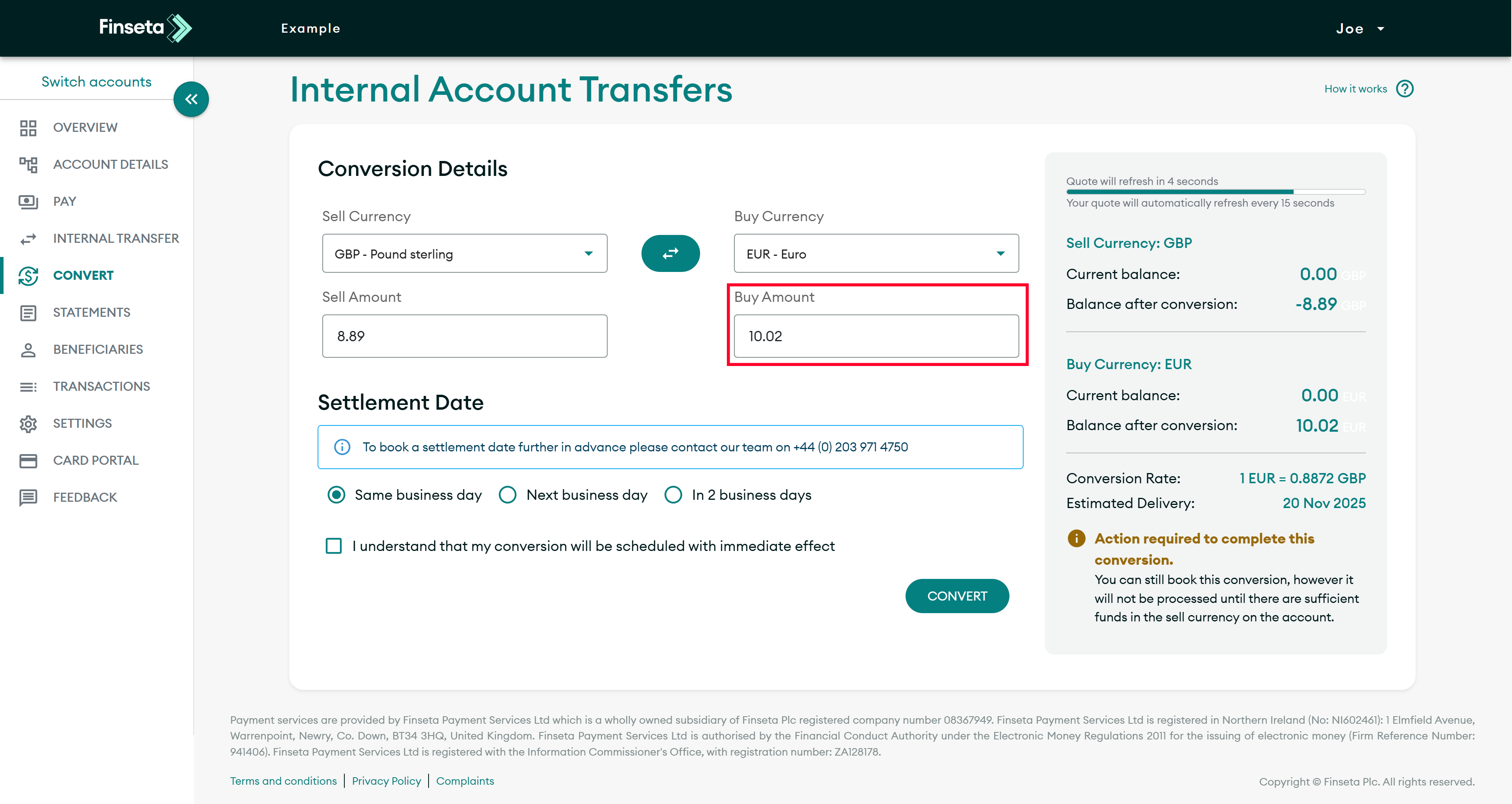
STEP 5
If you have a specific amount you wish to buy, enter it under the buy currency.
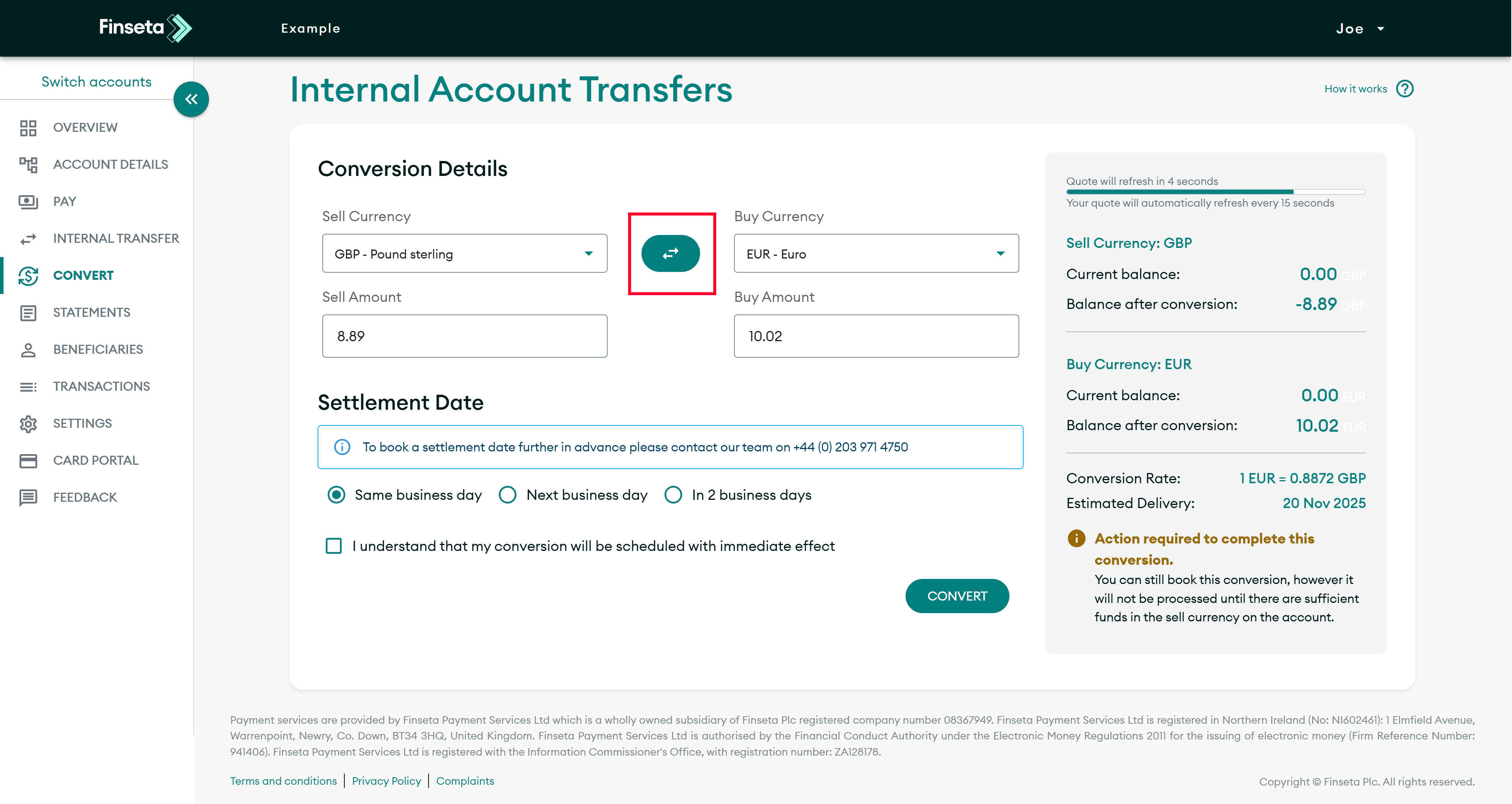
STEP 6
If you wish to swap the currency pair, click the button indicated below.
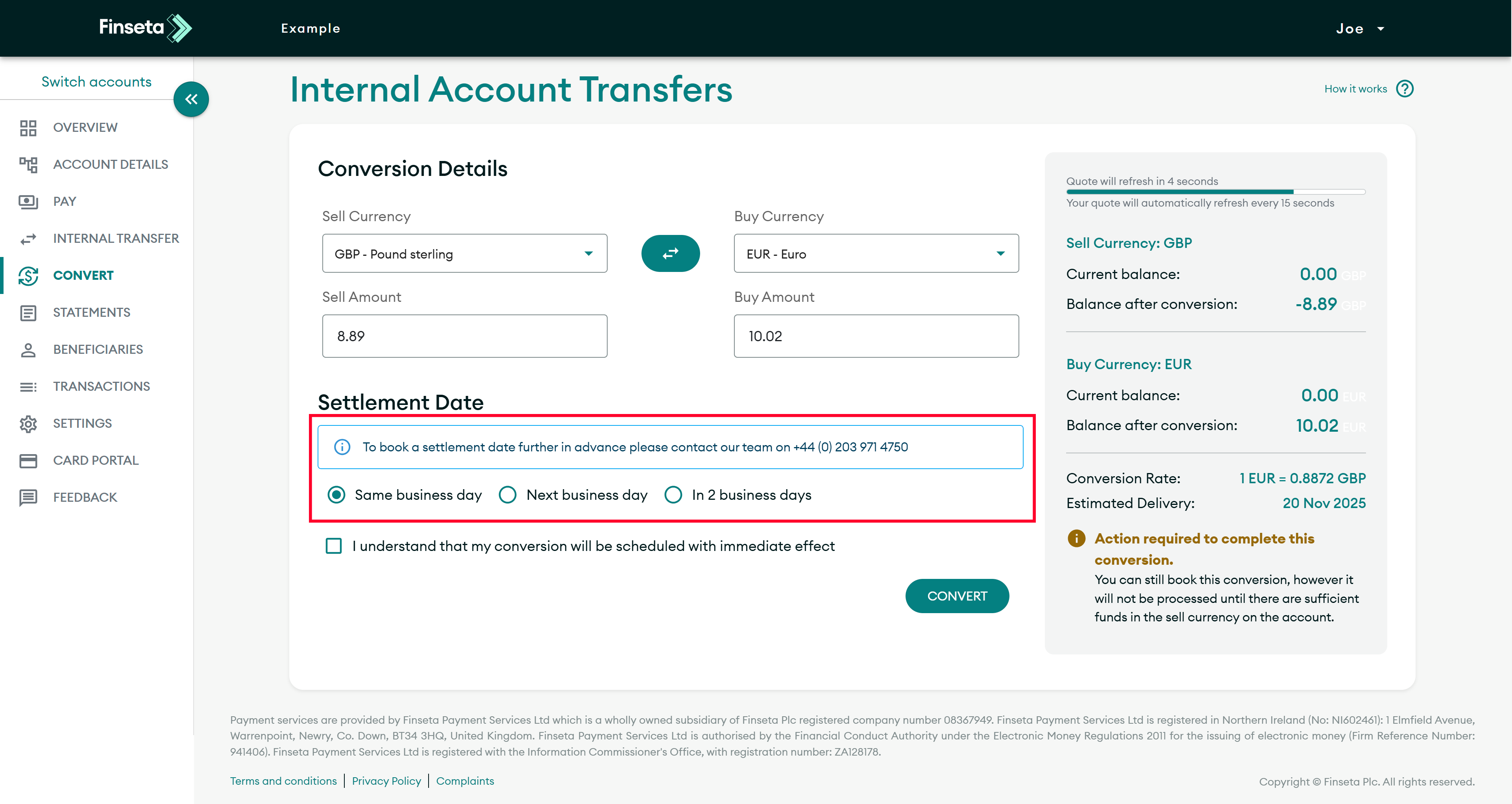
STEP 7
Select when you want the trade to settle.
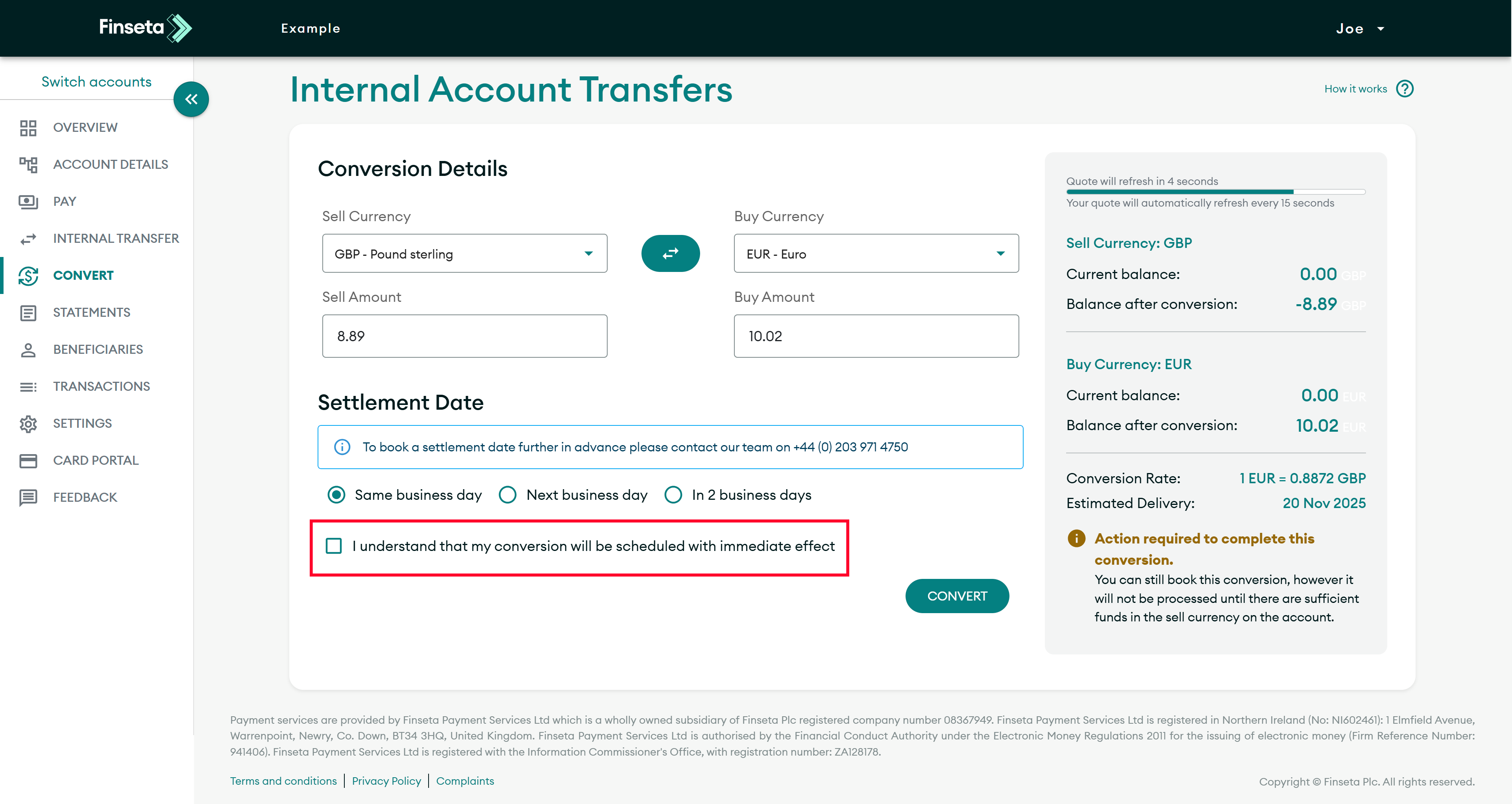
STEP 8
Click to confirm that you understand that your conversion will be scheduled with immediate effect.
STEP 9
Click the "CONVERT" button.
Discover more from Finseta
Subscribe now to keep reading and get access to the full archive.
We use cookies to ensure that we give you the best experience on our website. If you continue to use this site we will assume that you are happy with it.